Showing posts with label iPads. Show all posts

Friday, 9 June 2017

Cover the curriculum and save time

History teachers and Heads of History everywhere! We have found a way you can save precious time to use however you like. Roy Huggins, History specialist and former Head of eBacc, has worked with us to create some curriculum-based resources that can be used time and time again.

Roy is an extremely popular TES creator, with at the time of posting, 13,414 downloads to his name. There are various types of tasks he develops but one that really stood out to us was his card sorts. As we’ve explored before though, despite the numerous, excellent benefits of this type of activity, they can be quite time consuming to print off, cut out and sort for a class of 30! Despite this, they are a VERY popular classroom resource, which shows how much they are valued and the benefits of them. To name a few; deeper understanding of content, collaboration and ease-of-use.

Why was it difficult maintaining law and order in the American West?
We’ve worked with Roy to transform some of his card sort tasks into iPad versions. They look fantastic on the iPad! Rather than students sorting out cards into nondescript piles on desks, many activities have bright, colourful and descriptive backgrounds which means when looking back on their work, students immediately know how they sorted the cards.

Roy explained, “I was really surprised by how easy the Thinking Kit software was to use. It was very intuitive and it didn't take me long to start making some stunning resources.”

Push and pull factors of Westward Expansion
All resources come with a detailed and thorough list of ‘aims and objectives’ and a ‘WILF (What am I Looking For?)’ section. Plus the process of downloading each task is so simple and guided that you can be using them in minutes!

To name a few of the benefits of this transition:
  • TIME SAVING
    Instead of having to print off and cut out 30 pages of cards/pieces of paper, just give your students a code for them to download the tasks onto their iPads.
  • RECORDING OF PROGRESS
    Students can download/print a PDF report of their card sort session (e.g. what was on the cards, their final layout and anything in between) OR simply take a screenshot of their on-screen work ready to print off to put in books or keep in a progress file.
  • REFLECTION ENCOURAGED
    If desired, you can get students thinking about the process of how they got to their answer rather than just the end result (there’s a dedicated Reflection Stage/interactive playback of the session). This is excellent for critical thinking and problem solving.

We are delighted to say that the activities of Roy’s that have been transformed first are his ever-popular ‘American West’ selection. You can even get a massive 33% discount if you buy them in a bundle. Please see Roy’s TES profile for more details. If you’d like to have a go at creating your own iPad card sorts, please visit www.thinking-kit.com/freeTrial

Wednesday, 12 October 2016

Remembrance Day

After what seems like a longer summer than usual here in the UK, the rain has finally started to pour, a cool wind has finally arrived and as always, people are building up to Halloween! What that also means is that it is around a month until Remembrance Day, which is on the 11th November.

We are so pleased to say that we have created a FREE Thinking Kit activity for this. More details about the activity are below, but for those of you who just want to get on and try it as soon as possible:

1. If you haven’t already, then download the FREE Thinking Kit App on the App Store (iPads only). Search Thinking Kit App on the App Store or click here.

2. Go to Educator or Learner > New Session > Download Task

3. Enter the Task Code 8386

This is all you have to do to get the activity onto iPads!

The task gives (primary/elementary/middle) school children 24 cards that have pictures, facts and story-based snippets on them. They are asked to read these together and answer the main question, ‘Why is Sarah attending the remembrance service?’ There are also suggested sub-questions too!

Sarah is a young schoolgirl herself and the cards tell a story about her link to Remembrance Day - in answering the question and sorting through the cards, children learn lots about the topic but also develop skills of collaboration, higher level thinking and discussion.

Here’s an example of how a task may go…

The activity opens with all of the cards in the ‘icon’ size, then children start working together to read some:

They could then use the Group tool to sort the cards into named groups, as well as the fun Sticky Tape to show connections - both excellent contributors to making thinking visible, which in turn is a great formative assessment tool:
If you have any questions, please don’t hesitate to email info@reflectivethinking.com. In the meantime, remember, to use this task completely FREE (and you can keep it free of charge forever):

1. If you haven’t already, then download the FREE Thinking Kit App on the App Store (iPads only). Search Thinking Kit App on the App Store or click here.

2. Go to Educator or Learner > New Session > Download Task

3. Enter the Task Code 8386

Thursday, 30 June 2016

Tool to create iPad activities introduced at the Farmington Institute’s 2016 conference

This week, Thinking Kit was introduced at the Farmington Institute’s 2016 conference. The tool, which allows teachers and students to create their own ‘card sorting’ activities for iPads, was discussed by Katharine Hutchinson - the Director of CPD and Head of Humanities at Chesterton Community College.

Katharine has been using Thinking Kit since its first version. After stumbling upon our iPad apps, Digital Mysteries, she gave us a call and we mentioned that we had a ‘create your own activities’ tool coming soon. Katharine loved the idea so much, she has been using it since it was in testing stage, and has helped shape it into what it is today.

Having been very enthusiastic about the tool since the start, Katharine is now telling others about it. On Sunday 26th June, in her presentation with Becky Palmer, she talked about Thinking Kit and how she and her colleagues and students are using it:

The Farmington Institute is “funded to support, encourage and improve Religious Education in schools, colleges and universities” and Katharine is a Farmington Fellow 2015-16.

Katharine will also be talking about Thinking Kit at TeachMeet Cambridge 2016 on Friday 1st July at Chesterton Community College. This is an event to promote ‘high performance in schools’ and is completely free. It is split into two parts: a conference during the day, then a TeachMeet afterwards. For more information on this event, please click here or email khutchinson@chesterton.cambs.sch.uk.

To try a 30 day free trial of Thinking Kit, please visit www.thinking-kit.com.

Friday, 24 June 2016

Assignments: From passive presentations to engaging digital activities

(This article was originally published on ukedchat.com)

More and more teachers are giving students projects to do, whether at school or at home. They often have complete freedom of how to present the final outcome.
 

Common examples include a PowerPoint presentation, report, poster or physical model. A few, may go for a more creative option such as a video, or maybe a delicious one such as a cooked meal. However, digital technology, when used, is often limited to presenting passive information without any interactivity. The type that doesn’t encourage any engagement.

So far this year, my 9 year old daughter has done a poster, two models and a card game. Now, she wants to try something new for her Victorians project. She doesn’t want to do a PowerPoint; she thinks that’s what people do when they don’t want to put in a lot of effort.
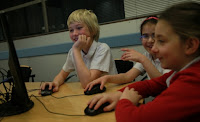
It must be said that some teachers do encourage students to take advantage of digital technologies. Examples include blogging or other forms of presenting content, e.g. social media, or wikis. Even then though, for those who engage with the content, it‘s still mostly passive (reading/watching). Sometimes it increases a bit to up/down-voting or commenting as the ultimate engagement.

Presenting ‘content’ in a way that allows for some degree of engagement is a challenge for teachers and students without programming skills or advanced ICT knowledge. It’s quite surprising in this day and age, especially with the digital native generation. Tools such as ‘Book Creator’ and ‘Explain Everything™ Interactive Whiteboard’ are a breath of fresh air in this respect. Hopefully more and more such tools get developed that focus on empowering teachers and students to become creative at content creation.

When it comes to pre-prepared educational material, tablets/apps are increasing in popularity; if not for their educational value, then for their increased level of engagement. Lots of new opportunities can be opened up by providing:
  • teachers with the ability to present learning material in an app-like manner.
  • students with the means to present their project based learning outcome in an app-like manner.

Motivation for teachers is probably around getting students more engaged with their material. For the students presenting their own work, they’ll be a lot more motivated than usual; the final outcome is way ‘cooler’ than what they’re used to. Other students can actively engage with creations by others. Work is not just quickly glanced at, put in a folder or hung on the wall, but actually used, engaged with and learned from.

For developers, the challenge is to strike a balance between providing tools that allow for easy content creation, but also providing opportunity for active engagement with that content too. The problem so far has been that enabling the latter often sacrifices the simplicity of the creation part. This then excludes many from giving it a go.

As an academic researcher on education technology, I have been exploring ways to offer such opportunities for a long time. This led to Thinking Kit, with its two parts: the web-based creator and the iPad app. Through a simple, easy-to-use tool, students (or teachers) add content (e.g. open question/objective then images/text to help people answer/achieve it) then the Thinking Kit transforms it into an engaging iPad activity available to download free around the world. This way, students’ creations are not just passively received (viewed/commented on/read), they are actually used by someone else as a learning tool.

An activity created by students in the UK on migration this week.
As the app is designed to be used by pairs and to encourage discussion during the process, students will have the invaluable opportunity to watch peers engage with their work and ‘verbally’ discuss it. Observing how their content is being interpreted and understood by their peers means a better future appreciation for how to create with the audience in mind. A dedicated Reflection Stage also helps students develop their critical thinking skills.

So when you next set students an assignment or project, think about what the end result could be. Rather than a passive poster or presentation, they can actually create something that is useful and usable. It doesn’t have to be complicated.

www.thinking-kit.com


More about Thinking Kit

Thinking Kit is a two part tool: the creator and the app. Through the web-based creator, users fill in a template. The template outlines what a collaborative, engaging activity needs and they add their content: a question/objective, images (e.g. drawings/photos) and snippets of text that will help people answer the question/achieve the objective. Upon saving, Thinking Kit transforms this information into an app-like activity, saves it to the cloud and generates a number.

Students and teachers around the world can then go to the FREE Thinking Kit App (iPad) and enter the number to get the activity (if it’s marked as public). That’s it.

Now what you have, is an iPad activity that can be worked on alone or in pairs. There are tools to help users make sense of the information, e.g. groups, sticky tapes and notes. The interactive playback Reflection stage and the PDF reports allow for reflecting upon and evidencing the process. This encourages metacognition, formative assessment and keeping a record of learning.

You can also use Thinking Kit to create your own tasks for students – see ‘16 ways to use Thinking Kit’ for some ideas.